
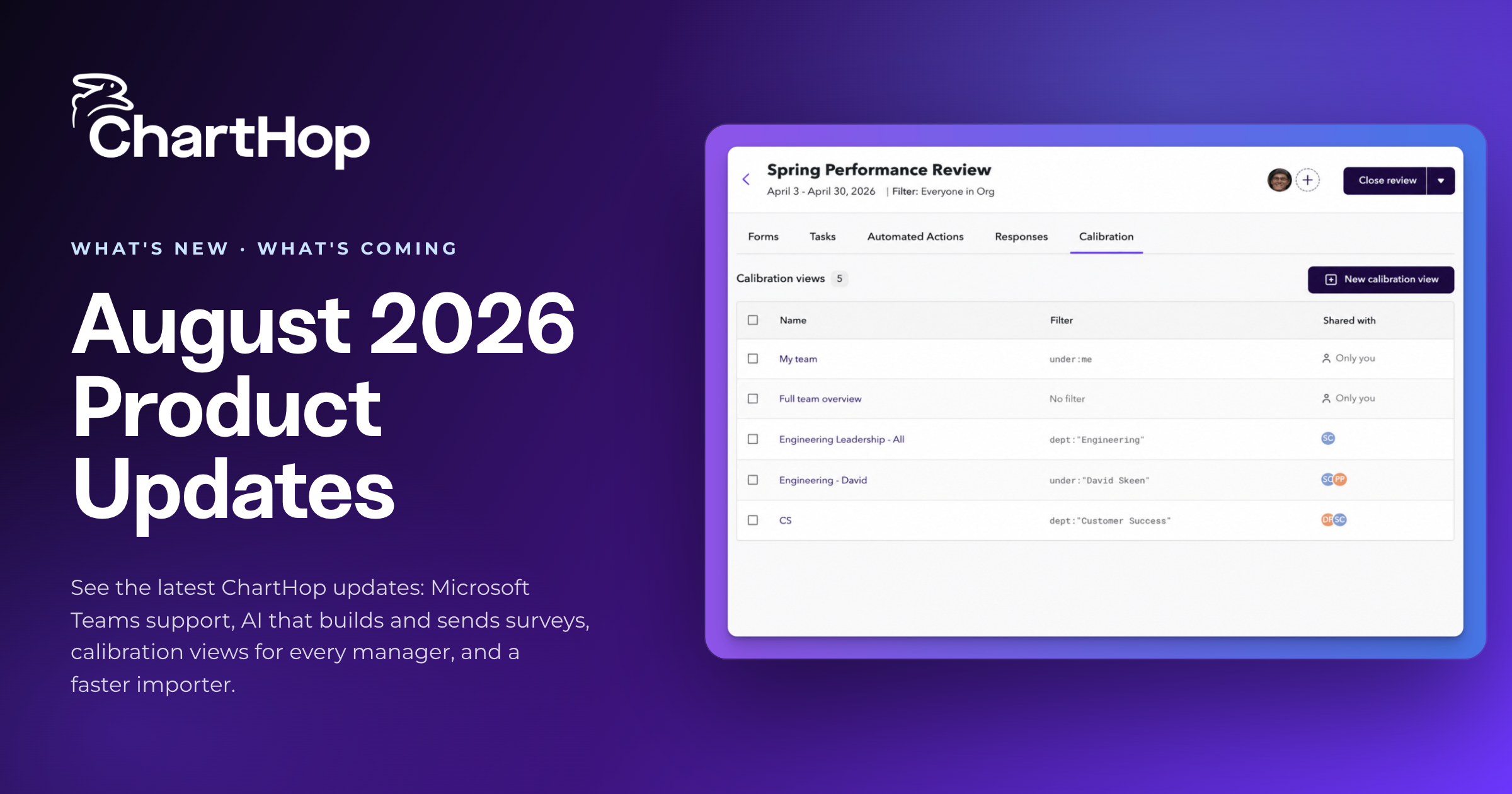
ChartHop is an AI-powered people operations platform that connects workforce, business, and financial data in one place, so HR, Finance, and leadership can plan, operate, and make decisions from a single source of truth. Every six weeks the team ships a new batch of features. This release brings ChartHop into Microsoft Teams, teaches Ask ChartHop to build and send entire surveys, gives every manager a calibration view scoped to their own team, and rebuilds the data importer from the ground up.
Here's everything that's new.

Teams joins Slack as a place where ChartHop reaches people directly, in the tool they already have open.
ChartHop sends reminders, task assignments, and approval requests to users in Teams, and automated actions can target Teams as a destination, so the message you've configured lands in the channel or DM you choose. The full Ask ChartHop experience is available natively in Teams as well, with streaming responses, citations, and thumbs up and thumbs down feedback. When the bot is installed, users get a welcome message explaining what it can do and how to start.
The official ChartHop app for Teams is under review by Microsoft and will be listed in the Teams store once approved. Customers who want it running now can work with their CSM to install it directly.
.png)
Describe the survey you want in plain language and Ask ChartHop scaffolds the whole thing: questions, scale choices, and audience configuration. Reword a question, add or remove items, or adjust who receives it, all in the chat.
From there you can take it all the way. Create, configure, activate, and send from a single flow, including audience targeting, delivery channel, deadline, and anonymity settings. Ask ChartHop checks the rating scales used on previous surveys and matches the most common format, so aggregate scoring stays consistent as programs repeat.
Responses tie back to the assessment, so teams can track completion, slice results by department, and trend over time. Set up a quarterly engagement survey, a pulse check, or an onboarding survey once, then run it again with a single click. Available now for Engagement customers.
Several changes make the AI faster to work with and harder to stump.
.png)
Admins configure calibration views for their leaders, managers, and HRBPs, and ChartHop generates a version scoped to each person's own team.
Set the columns, filters, and sort orders once and save the configuration under a name. It carries across sessions and can be duplicated for a different group. Every recipient gets a view containing only the employees they're responsible for calibrating, without needing full performance review access.
Recipients also get an email with a direct link that lands them straight in their team's view, so nobody has to go hunting for the right group of people.
ChartHop's new Turbo Importer makes importing and syncing data faster and less error-prone by understanding your source data, its sequencing, and the data relationships coming from other systems. Same-day hire and move sequences process in the correct order, job deletions clean up manager relationships properly, and position conflicts from future-dated hires get prevented before they happen.
Errors are easier to act on too. When a row can't be matched, you get a clear warning including the person's start and leave dates, plus a named error code when indirect manager resolution fails. Import and sync logs group errors by category and explain which record caused the issue and how to fix it, turning a wall of individual error lines into an organized summary. Sync logs also include an AI-powered analysis layer that explains what happened during a run and suggests what to fix.
This release also includes a set of smaller, customer-requested updates:
Two features are in Alpha and rolling out soon.
Budgets (Planning) brings financial context everywhere. Assign budgets by group with start and end dates and a total amount, apply your scenario cost calculation so you can model fully loaded cost or all-in comp with CQL, and set owners and visibility through the standard Share modal. As changes are made in a scenario, applicable budgets display for anyone with access, so the budget impact is visible as you work.
Approval Delegates (Planning) keeps approvals moving when someone is out. Designate a delegate in User Settings to see and act on Scenario and Time Off approvals on your behalf, per type, always-on or with start and end dates. Tasks show "Delegated by [Name]" and every action is logged "on behalf of" in the audit trail. Delegates see only items pending their approval and are auto-removed and notified if they leave or change jobs. Admins manage all delegates org-wide in approval settings.
ChartHop helps HR, Finance, and leadership plan, operate, and make decisions from one connected platform. Request a demo to see these features on your own org data.

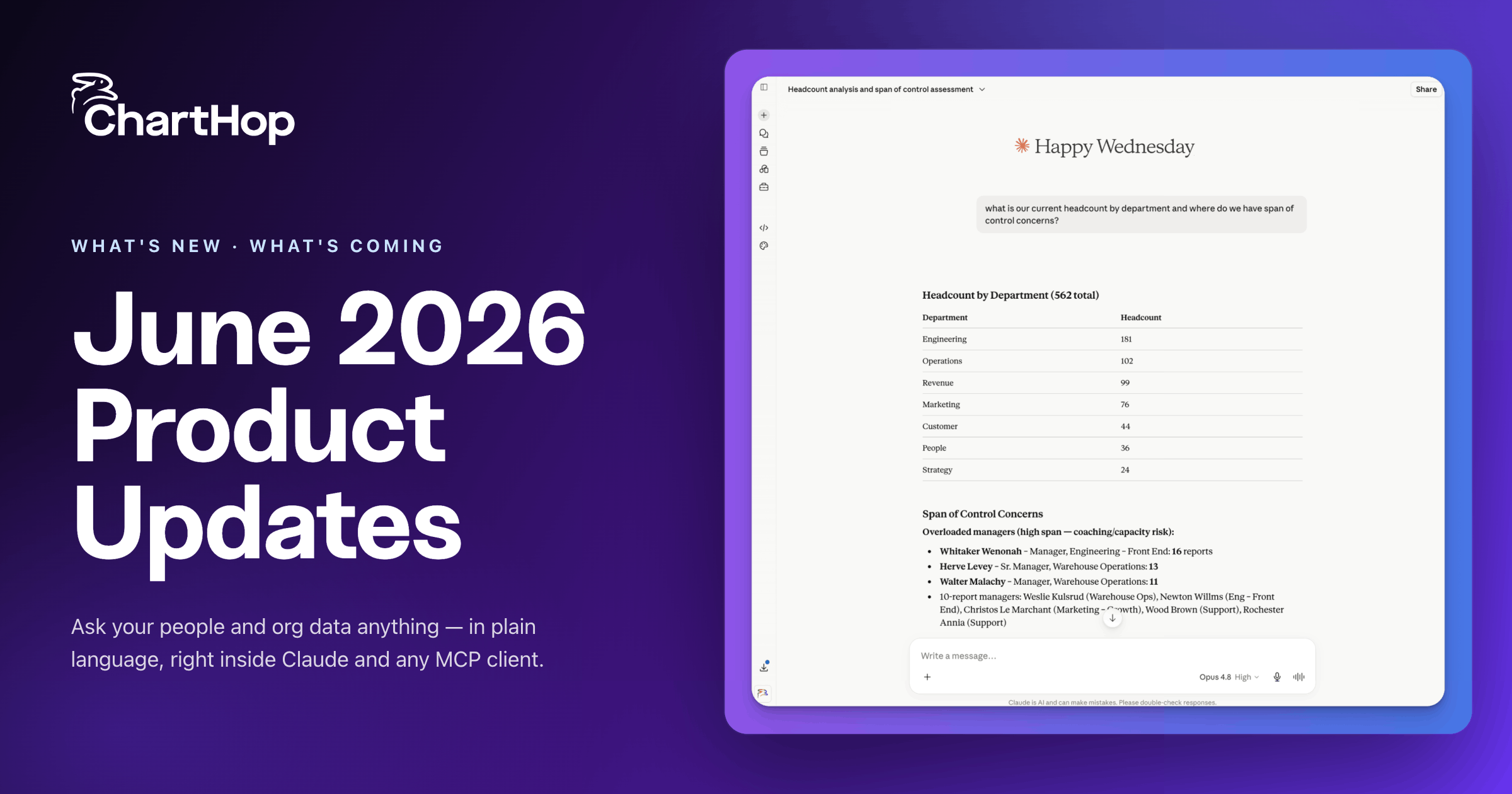

See the latest ChartHop updates: AI Pro agents, a Finance view for headcount planning, a built-in Nine Box, deeper ADP sync, and more.

ChartHop's latest product update introduces Goals, a new module that connects cascading objectives to live organizational and business data so leaders can track progress without chasing status reports. The release also includes natural language support in the Filter Bar, five workflow improvements driven by customer feedback, and several new capabilities in Labs.
Organizational intelligence is what a company knows about itself, connected in one place and current enough to decide on. Here is where the term came from, the five layers of data it spans, how it differs from workforce intelligence and people analytics, and the test a system should pass before it uses the name.
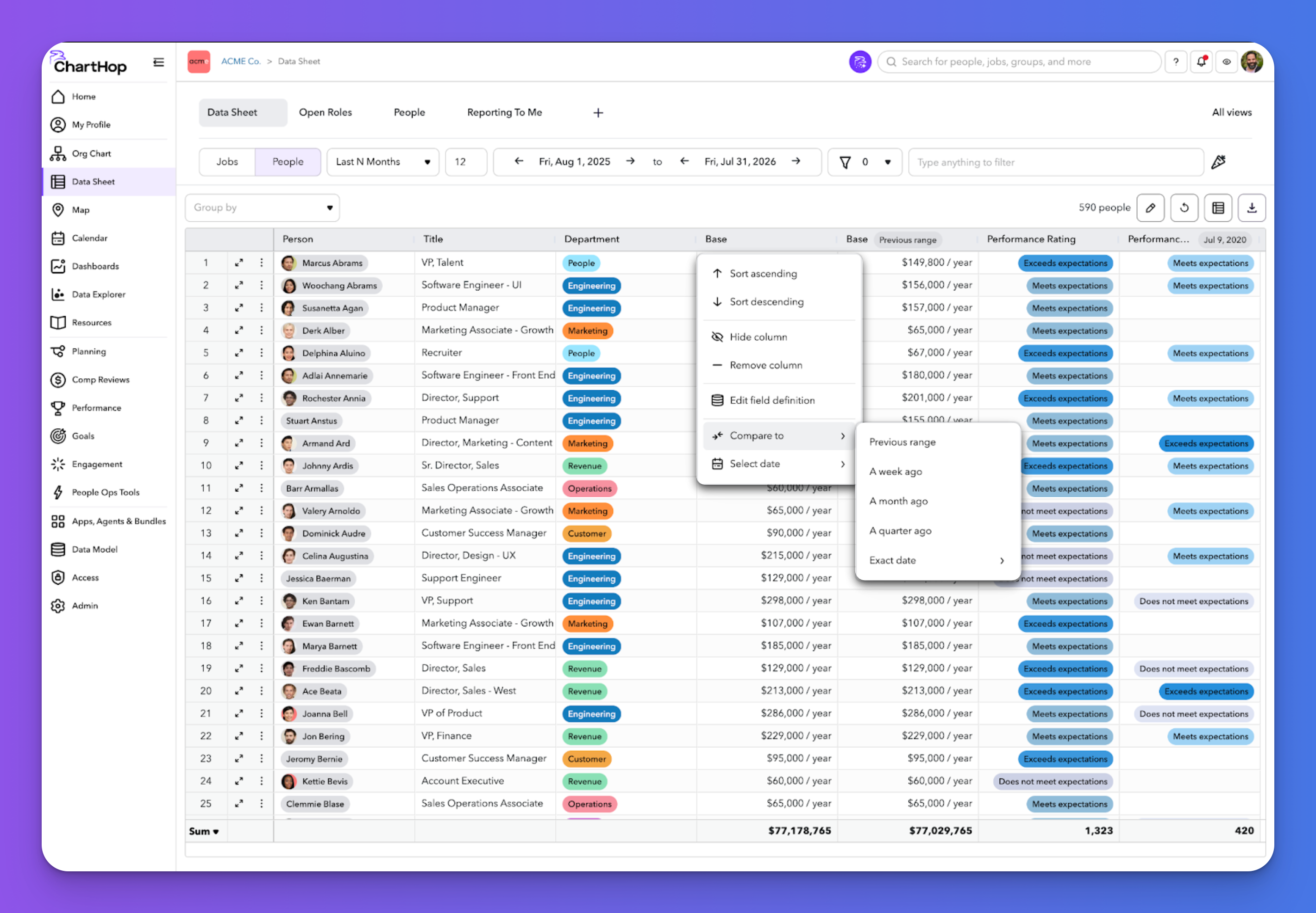
See the latest ChartHop updates for September 2026: time-based columns in the Data Sheet, automated time off milestone awards, fully translated goals, and a smarter scenario org chart.
See the latest ChartHop updates for August 2026: Microsoft Teams support, AI that builds and sends surveys, calibration views for every manager, and a faster importer.