

ChartHop is an AI-powered people operations platform that connects workforce, business, and financial data in one place, so HR, Finance, and leadership can plan, operate, and make decisions from a single source of truth. Every six weeks the team ships a new batch of features.
This release is about getting more done just by asking. Ask ChartHop can now draft a complete headcount plan and build agentic actions from a plain-language request. Calibration gets a 9 Box grid that stays in sync with the sheet view. And Allocations, now in Labs, shows how each person's time splits across projects, initiatives, and programs. You'll also find 11 updates that came straight from your feedback and eight early looks in Labs. Here's everything that's new.
Are you still building headcount plans one form field at a time? Not anymore. Describe what you need, and Ask ChartHop collects everything the plan requires in one focused conversation: titles, planned start dates, compensation, and any required fields. Your draft is complete before anything gets created.
Planning several roles at once? Ask ChartHop helps you think through timing too. Stagger start dates in waves, by seniority, or on a custom schedule, so Finance sees cost phasing from day one instead of after the fact.
When the draft is ready, it opens in the planning wizard at the Review step. Give it a once-over and submit it for approval. Available now.
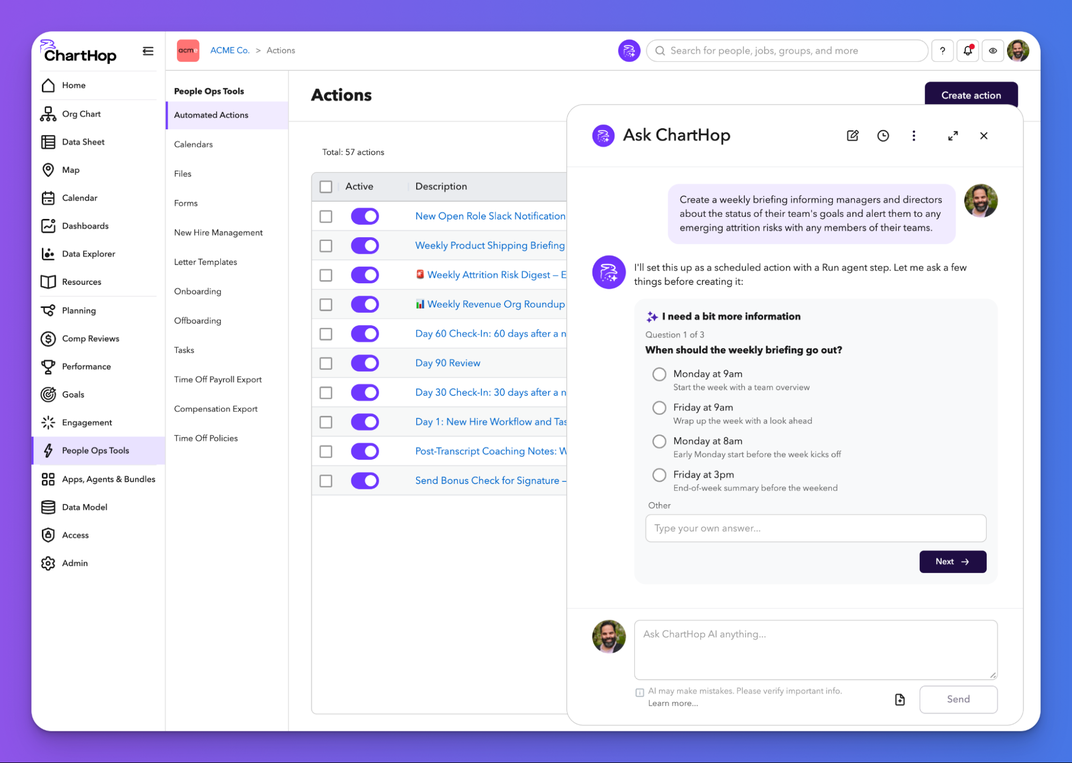
Tell Ask ChartHop what should happen and when, and it configures the action for you: triggers, filters, and steps. No technical setup required.
You can go from idea to a running workflow in minutes. A weekly digest, a new hire notification, a multi-step approval task. Each one starts with a sentence instead of a configuration screen.
And you stay in control. Every AI-created action is reviewable and editable before it goes live. Available in AI Pro.
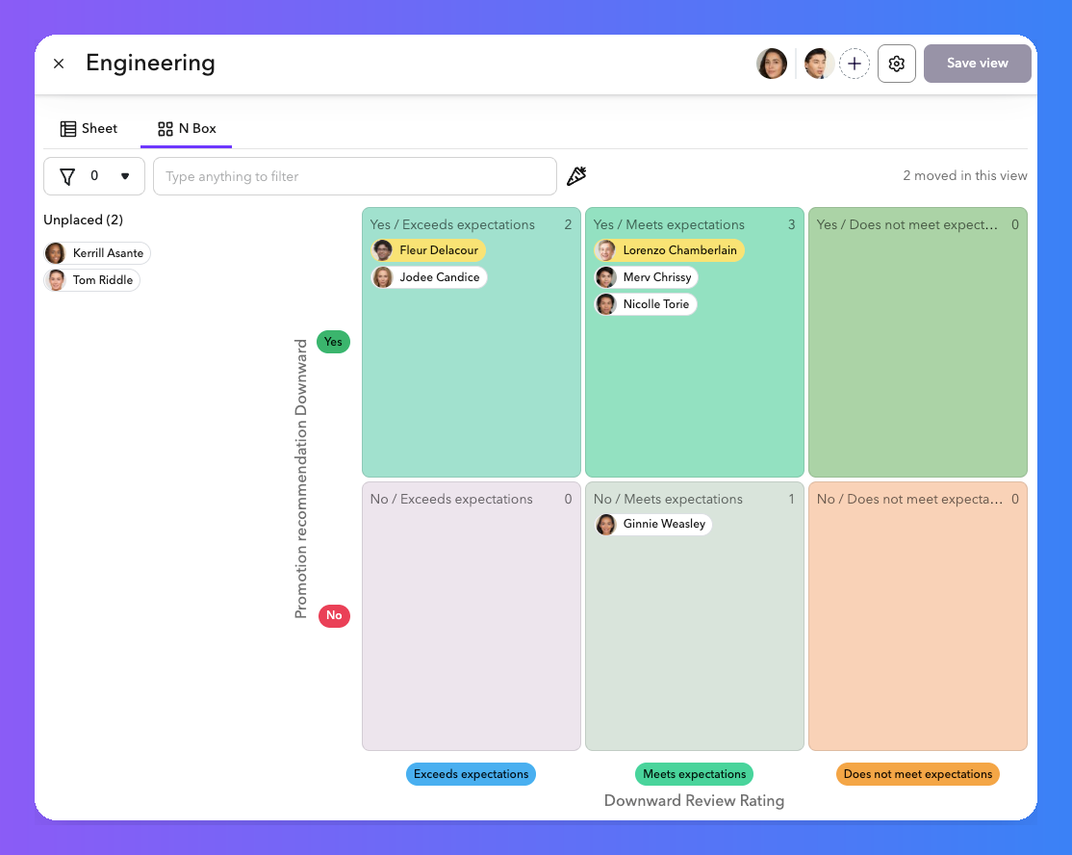
Calibration meetings go better when everyone is looking at the same picture. The new 9 Box tab in Calibration places each person in a cell based on two rating fields you choose, like performance and potential, so the room sees where everyone landed before the conversation even starts.
Available now for customers using Calibrations in Performance Reviews. To turn it on, open your review settings and look right below Highlighted calibration questions.
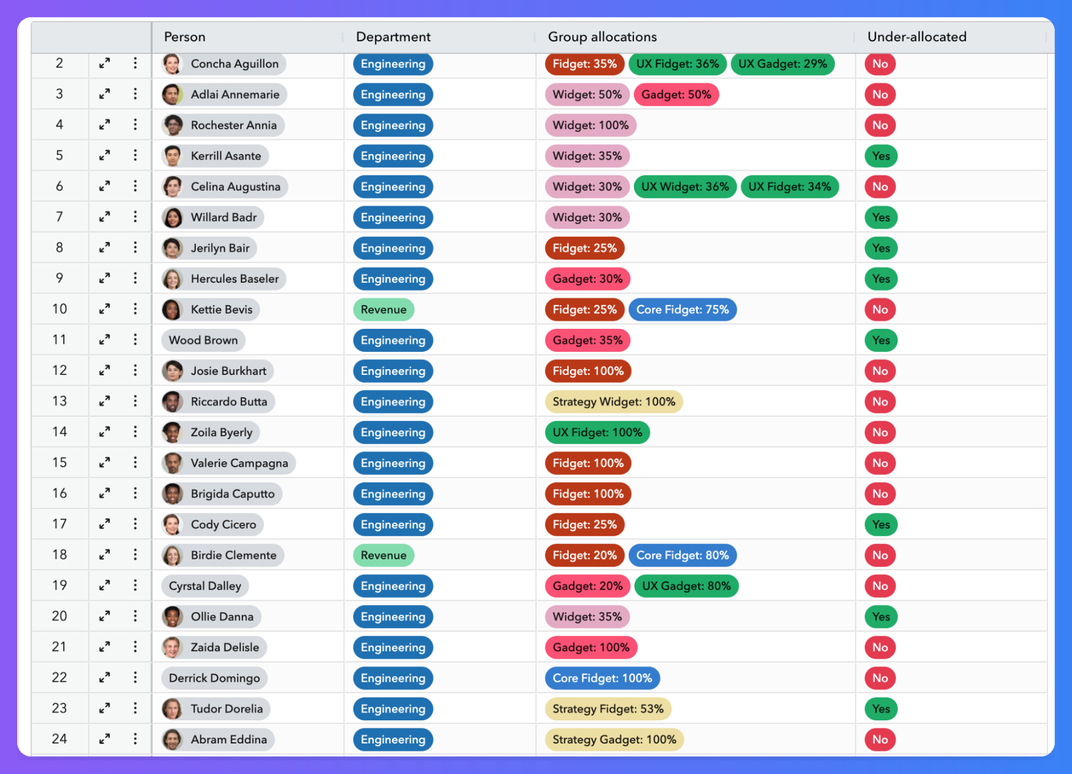
When we launched Matrix Teams, the idea was simple: most work happens across departments, not neatly inside one. Allocations takes that a step further. You can split a person's time across groups like projects, initiatives, and programs, so your org reflects the work that's actually happening. This is one of my favorite kinds of features, because I know customers will use it in ways we haven't thought of yet.
Available now in Labs. Turn it on, try it with your own groups, and tell us what you think.
You ask, we listen. These 11 updates came straight from customer requests.
Labs is where you get an early look at what we're building, and where your feedback shapes what ships. Here's what you can turn on today.
To find Labs, select Admin → Labs from the left sidebar. Can't spot it? Your CSM or our support team can help.
Want to see these updates with your own org's data? Existing customers can ask their CSM for a tour, and anyone else can request a demo. And if you like this release, wait until you see what's next.
Common questions about ChartHop's latest features
The October release adds AI-created headcount plan drafts and AI-created agentic actions in Ask ChartHop, a 9 Box Calibration Grid for performance reviews, and Allocations in Labs. It also includes 11 upgrades built from customer feedback and eight early-access features in Labs, including the Comp Review Impact Dashboard and Data Explorer.
You describe the roles you need, and Ask ChartHop asks for everything the plan requires, including titles, planned start dates, compensation, and required fields. It can help you stagger start dates across several roles. The finished draft opens in the planning wizard at the Review step, where you can check it and submit it for approval.
AI-created agentic actions are available in AI Pro. You describe what should happen and when, and Ask ChartHop sets up the triggers, filters, and steps. Every action is reviewable and editable before it goes live.
The 9 Box Calibration Grid is available for customers using Calibrations in Performance Reviews. Turn it on in your review settings, right below Highlighted calibration questions. You can use any two single-choice or yes/no rating fields as the grid's axes.
From the left sidebar in ChartHop, select Admin → Labs, then turn on the features you want to try. If you don't see Labs, contact your CSM or ChartHop support.

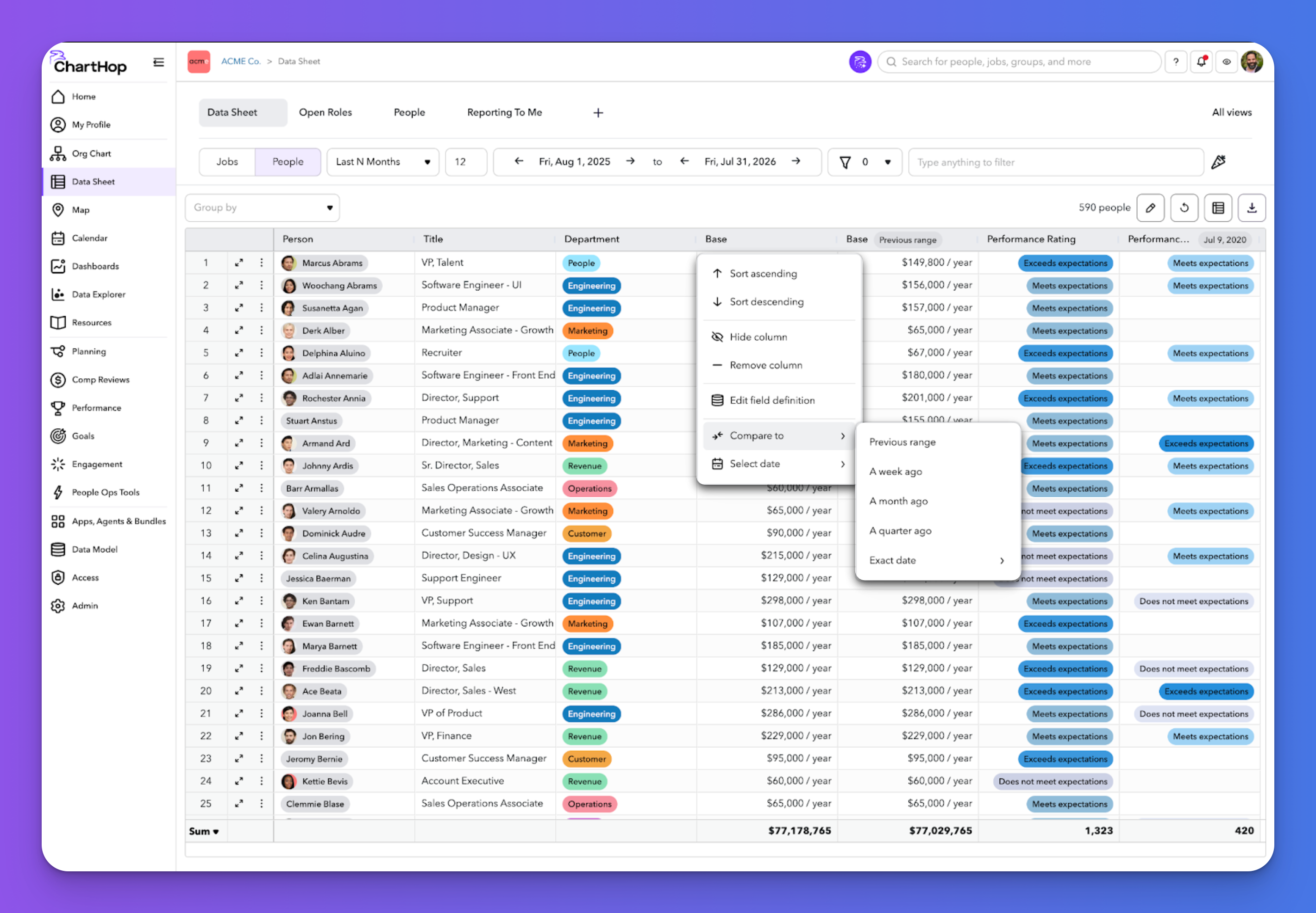

See the latest ChartHop updates for September 2026: time-based columns in the Data Sheet, automated time off milestone awards, fully translated goals, and a smarter scenario org chart.
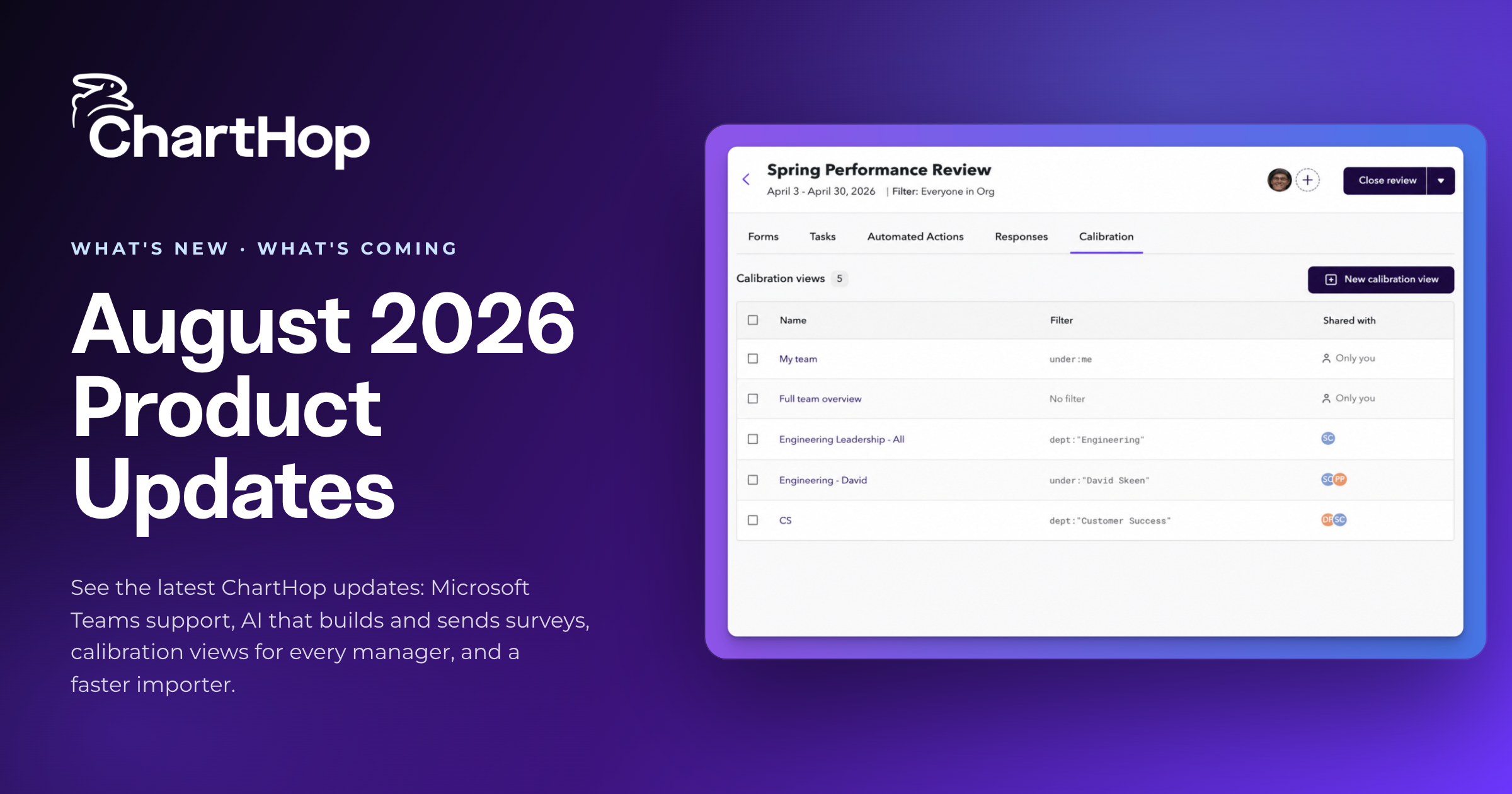
See the latest ChartHop updates for August 2026: Microsoft Teams support, AI that builds and sends surveys, calibration views for every manager, and a faster importer.
See the latest ChartHop updates for October 2026: AI-drafted headcount plans, agentic actions built in plain language, a 9 Box calibration grid, and Allocations in Labs.
AI agents that do real work, governance that got specific, and why context matters more than data. Our five takeaways from HR Tech 2026 in Las Vegas.
Heading to Gartner HR Symposium/Xpo in Orlando? Our picks for sessions on workforce planning, org design and AI in HR, plus where to find ChartHop at Booth 220.