


Navigation

One registration covers the whole series, live or recorded. Sept 24 to Nov 6, 2026.




What agentic AI actually does in HR, and what it means for your team.
Most HR teams have heard about AI. Fewer have seen it take action inside a real people operations platform, pulling Gong calls, catching offer letter discrepancies, triggering offboarding workflows, and sending coaching summaries, all from a natural language prompt.
This session features ChartHop CEO Ian White, VP of People Pilar Muner, and independent analyst Kyle Lagunas (Kyle & Co.), plus a live product demonstration of ChartHop AI Pro. It covers what agentic AI in HR actually is, what the research says about which organizations are building momentum with it, and what it looks like in practice.
What you'll walk away with:
- A clear definition of agentic AI in HR and how it's different from traditional workflow automation
- Research-backed insight on why most organizations are stuck in exploration mode, and what separates the ones that aren't
- Five live use cases of ChartHop AI Pro, from attrition dashboards to cross-system sales coaching
- Takeaway 1: Agentic AI takes action. It doesn't just surface insights.
The shift happening in HR right now isn't about better dashboards. It's about AI that can reason across your organizational context and actually do something with the information. ChartHop AI Pro is built on that model. - Takeaway 2: Organizational context is what makes AI in HR actually work.
Consumer tools like ChatGPT don't know your org structure, your comp history, or your attrition trends. ChartHop AI Pro does, because it runs on your full organizational graph. That context is what enables real agentic actions. - Takeaway 3: Governance isn't the blocker. It's the accelerator.
Kyle Lagunas's research found that more than 80% of companies have no AI governance framework or don't know if one exists. The organizations leading in AI adoption all have one. Governance is what makes it safe to actually deploy agents at scale. - Takeaway 4: HR literacy in AI can't live with just a few power users.
Among HR organizations lagging in AI adoption, 61% report that their teams as a whole are not yet familiar with how AI works. That gap, nearly 45 points below leaders, is one of the clearest predictors of whether AI momentum stalls or builds. - Takeaway 5: AI agents work where your team already is.
ChartHop AI Pro doesn't require anyone to open a new tool. Agents answer questions and trigger actions in Slack, in the flow of work, with full context awareness about what can be shared publicly and what has to stay private.
Pilar (00:04):
Hi everyone. I'm Pilar Muner, the VP of people and talent at ChartHop. Welcome to our webinar today, The Truth About AI in HR. If you're joining us live, awesome. If you're joining us after the fact, amazing. You can also drop questions into the chat. We've got a bunch of the ChartHop team here live who will be answering questions. If you've got questions after the fact, let us know too. We'd be happy to answer anything. We'll have three parts to our webinar today. The first one will be a fireside chat with myself and Ian White, who's our CEO and founder of ChartHop, facilitated by Kyle Lagunas of Kyle & Co, who's a well-known researcher in the HR technology space who's done a ton of industry and market analysis around what's been going on in particular with AI. We'll then move into a bit of a unique and really interesting though piece where Kyle is going to take a bunch of the research that he's done over the past year on AI, having interviewed and talked to practitioners and give all of you some advice on the learnings that he's gained and things that you can practically do day-to-day as either an HR leader or HR practitioner.
(01:07):
Then we're going to close out with a demo of AI Pro, which is our newest offering for ChartHop. It's one for myself in particular that I'm very, very excited about. I've been able to use the product internally and I've been working with the team on the product and engineering side for quite some time on it, but you can also take this and apply it to how might you use AI in the future with your HR team. I think it's really well positioned for anybody to be observing. So let's dive into it. I'm really excited for you all to see this.
Kyle (01:37):
Hey everybody, Kyle here. Unless you've been living under a rock, I'm sure that you feel like AI is absolutely everywhere and all at once. But the questions that remain is not what just cool stuff can this do, but what actually makes it work and how are we going to make sure we get the most out of it in HR? I'm joined today by Ian and Pilar and we're going to talk a litle bit about the latest coming out of ChartHop and what you can expect. So a real question for you just straightforward is what's new here? What can people actually expect out of ChartHops AI Pro?
Pilar (02:09):
Yeah, it's really the shift from being able to have AI's system of insight and intelligence to a system of action for being able to move. We've had for years the ability for AI to help you make sense of all the information in ChartHop. But now the AI, the AI agents can actually work within ChartHop to carry out all kinds of different tasks and really up-level the people team's strategy and approach from manual tasks to being able to really drive organizational strategy.
Kyle (02:45):
So one of the things that I have to observe is AI is moving really fast. And something that's different about this wave of innovation is that consumers can actually use these tools too. It's not just what the enterprise hands to them. And I am a fan of Claude, although ChattyG is my friend as well, but they can actually, these consumer grade tools can do a lot of autonomous agentic work as well. So why would I not just go to one of these tools that I might be familiar with? What can I expect that might give me more lift out of AI Pro?
Pilar (03:25):
We're plugged into the org graph. So when you're using CharthopAI, it understands your whole organizational history. It understands who you are. It understands the people around you. It understands your organization's goals and strategy. It understands the financials, performance. Everything is all there. When you're copying and pasting into one of the consumer tools, it's A, not going to be the most secure approach and B, you're going to miss things. The AI, because it's got this whole organizational history, is going to be able to pick up so many different things that you might not have thought to copy into the other system. It's amazing that we've got these consumer tools and business tools that everybody is using because it's allowed this incredible adoption rate. If everyone in the world uses ChatGPT, Claude, Gemini, whatever it is, they understand immediately intuitively how to use ChartHot AI to get to the outcomes they want to get.
Kyle (04:30):
Yeah, I think so too. HR has had to drive a lot of change management over the years. We've had to navigate a lot of stuff. And I think that having access to these tools has helped with the workforce building familiarity and experience with them. What about for HR? You are customer zero here. What are you experiencing as the lift that you and your operation are getting out of these latest and greatest coming out of AI?
Pilar (04:57):
On the contextual side with agents, having agents who have access to all this information, but then also have a purpose and we can leverage them, whether it's in Slack or other systems to do things or assist us with things that then they can act on.
Kyle (05:10):
Oh yeah, it's not scalable. And then that loses the value that this core promise of AI is like doing these things at scale. Something that's interesting though is like talking about consumer trends like I know how to use this now. Now is actually more important than ever to have security for these things.
Pilar (05:27):
That's exactly right. And that's part of the power of using a system like ChartHop to build agents is every aspect of our permissions model, all of the ways in which individuals have access to data, agents can be restricted what access agents can prop, what data agents can process. That's all going to be filtered through the combination of the viewer and who's using the agent. We've thought through the whole permissions model so that when you deploy agents using AI Pro, everything is safe. We're a product for builders, we're for HR teams that want to build and we make it safe to do that in a way that's going to allow the whole organization to benefit from agents in a way that's going to be permission controlled, governed and auditable.
Kyle (06:19):
I don't think I would have ever in my career have said governance is cool, but it really is. I mean, I think that it is like the HR space we are conservative by nature. That is what we are supposed to do is make sure that we're stewards of the business and helping that navigate innovation and change responsibly and safely, but that doesn't mean that we can't do cool stuff. When we were talking earlier, you were talking about something like that started with a business problem. I mean, a lot of people think about agents as just like task automation, but it's not. So I would love to hear about this, how you are using agents to up-level yourself as a business partner to Ian and to ChartHop.
Pilar (07:03):
Yeah. I think one of the clear examples that we've used, and I think it's not only a clear example of how to leverage agents and AI, but also where HR's intersection with business problems and challenges I think is most well utilized. When we took a look at how we wanted to up-level what we were doing in CS with AI, we ended up implementing an agent that reviews all of our Gong calls and the transcripts and then provides coaching feedback. It scores basically how the call went from a client perspective. But actually one of the interesting things that we're reviewing with that too, again, talking about history is the moment in time isn't just the most important thing. It's how does that call relate to the history of the client behavior and the transcripts? And so we've implemented that agent through ChartHop and now the managers on the CS team can see how they're performing, how their team is performing, how is this agent rating it?
(07:53):
What feedback can we give to the team? What are the trends and analyses that we can observe? And then what are the actions or decisions that we need to make based upon that? And it can feel very qualitative, but it is very much curated to what we believe is the right thing from a client health perspective and very much like what Ian and myself and the head of CS have designed as like the rubric and the feedback that we want. And every single day once we have a Gong call that ends, we get it and it's like real time. It's perfect.
Kyle (08:20):
But I am really inspired by true Agentic AI enabling us to not just have an aha moment in a one-on with an executive and be like, "Yeah, that'd be really neat. We'll have to see how we can do that. " And six months later that never got actioned, but can literally have a business problem that we're seeing in a meeting, let me dig into that and then suddenly, and not suddenly because it's not instant, but within weeks have an actual scalable solution, that's unlocking a huge amount of value for HR that they bring to the business, right
Pilar (08:52):
The way that we've designed the product not only with AI Pro, but in general is that we don't want to know the limitations of what we might see. And so what I think is really exciting and interesting is that there is so much that I think we'll be able to do that we haven't even envisioned yet and getting our clients to go in because we're built off of this idea of like flexibility versus rigidity. And so really what we're saying is like, "Here's a set of tools, decide what you want to do with them and then share with us how you use them." And I think sometimes what can happen with other platforms or even with AI, or the constraints are fairly tight. And so what you're able to do is like pretty limited and finite versus like I think for us, we have some examples.
(09:32):
We obviously have agents that we're deploying, we have a lot of stuff we're testing, but I think we've just scratched the surface. I think a lot of the work and the innovation and creativity is to come. And I think that's part of what's really interesting for us is like giving HR folks space to do that versus feeling what I think what I often have always felt, which is very constrained by the software that I'm using and even just like the technical limitations of what it does because it's HR versus it's not a DevOps software, it's not an engineering software. So it comes with a more limited scope of like what I can play with and what I can create.
Kyle (10:02):
Yeah. We're breaking out of like workflow tools and getting into the world of like actual solution toolkits. And I know that there is, this isn't just like a bunch of cool features. That's something I actually have appreciated about this launch is, although there's a lot of cool stuff that AI Pro can enable, we have largely been talking about what makes it possible. So how are you thinking about like what is possible technologically versus you're shoring up a lot in the platform level to make this like organizationally viable, HR safe and approved. You want to talk a little bit about that?
Pilar (10:38):
Yeah. I mean, I just think in HR as it is for any leader, there's a balance between freedom and responsibility, right? You want to have the freedom to create and build, but you want to make sure that the level of responsibility you have to the organization is fulfilled. So we've tried to create the building blocks of AI Pro so that the agents that you can build with as little as a prompt to build an agent that can do all kinds of things is always rooted in a kind of permissions model. We've had spent years building our chart out permissions model to apply to the whole system, but it's always going to be deployed in a way that's safe.
Kyle (11:25):
I mean, this isn't the wild west. HR has a job to do, right? We're stewards of some really important aspects of business. Well, so speaking of stewards and speaking of what's possible, I know that there remains a bit of anxiety in the industry about impact of these tools to human workers, but as the two of you are talking about what you've done together, what you've done for clients, I really feel like you're scaling up your capability quite a bit. And so as we close, what do we think about the positive impact that even you are personally recognizing, you are personally experiencing from having these capabilities in your hands and what might you say to those HR leaders who are maybe hesitant because they're not sure of what that downstream effect might be?
Pilar (12:13):
Yeah. Well, I think there's two things that I think about. One is like workforce impact just broadly, not just in HR, but I think HR or like any other function, right? We have things that we do every single day and teams that kind of like deploy that. I think for us, what I'm often observing not only myself but with other leaders is that we're kind of shifting the ratio of the work that we're doing. And so when I think about, and we were actually having a discussion today about that even internally at ChartHop, is that you kind of go from being somebody who does a significant amount of execution to somebody who's kind of building systems and understanding how to deploy. So it's almost like you're becoming a manager by understanding what is the work that I need to do and then who can I have do it and how automated is it?
(12:54):
And so I think part of what we're identifying is like very low discretion work. So anything that's fairly manual, I always kind of think of jobs as like the tactical, operational and strategic. And so I think part of the goal is like, how do we take all the tactical work and drop that into AI? And then we start to bleed a little bit into the operational. And so if you look at, I think a lot of HR leaders, even with large teams, we're doing a lot of stuff across the board, both from like a functional perspective because HR is very, very broad, but also we're kind of going down deep and going up high every single day. And so part of what I've experienced, and I think other leaders who are doing this really well have experienced is that we're kind of dropping a lot of that stuff at like the 50% or below and then it's giving us more space to do the work that I think is more macro level, more impactful, much better.
(13:37):
And I think we're also able to spend time in the business in a way that's more meaningful.
Kyle (13:41):
I think it's super inspiring. I also am just happy to see that it's completely, it's within reach. I don't think that that's an aspirational point of view. I think that's very realistic. Ian, do you have anything to add?
Pilar (13:52):
I think the future of HR looks like strategic business impact and AI is this sort of supercharging tool that allows everybody to be a strategist, to start to design systems, to be systems builders instead of systems executors. I think the way that we've been operating internally, the way that Pilar's been operating internally is in some ways a model for the way that we think HR what that can be and what that can look like because the level of impact that a good people strategy can have on the business is beyond any other strategy you can have. A business is literally the people coming together with agents to help drive the business outcomes that we want to get to. So I think this is the best time ever to be a builder. It's the best time ever to be a strategist and it's the best time ever to be a systems thinker.
(14:56):
And we're really excited to share what we're doing and help level up all the different people teams out there.
Kyle (15:03):
Some fascinating conversation came up today with Ian and Pilar. It actually brought to mind a lot of the trends that we're seeing at Kyle and Co, which I would love to share with you next. Hey guys, Kyle here. If you tuned into the Fireside earlier, you know that AI is happening really fast, but a lot of people have questions about how they can make the most of it. Well, my day job is actually studying innovation cycles in the world of HR tech and transformation. We recently ran a study on what was going on with AI in HR's adoption journey and what was making it work versus what might be holding some people back. And what was really interesting was that the majority of organizations are actually stuck in an exploration mode for AI. And the reason why that's really interesting, at least to me, is that AI is happening fast.
(15:52):
And if nearly half the companies are watching to see what happens, I'm afraid they're falling behind. And that's why for today's conversation, we're going to talk about how you could be building momentum in AI every day. And so what we find is that for HR that ambition isn't the obstacle. There is a lot of ambition. There's a lot of good ideas, there's a lot of interest and I think there's people who are willing to try new things. The challenge is that the foundations aren't necessarily there. When we talked to Ian and Pilar earlier, we had talked about the importance of making sure that AI use cases are safe, right? Well, how do we do that? Well, I'm going to share with you what we're seeing in the data today. So at the highest level, one of the big questions people ask me for all the time is like, Kyle, what does maturity in AI for HR look like?
(16:42):
And honestly, I know that a lot of consultants like to have their cool innovative maturity models, but where I sit, I don't think maturity exists in AI for HR yet, but what does is momentum. There are companies who have started using AI and who have continued to use AI and there are those who have started and stopped and those who haven't started at all. And what we want to focus on is the qualities of the organizations who are actually able to build momentum and maintain it. This is based on research that we did with 350 HR leaders in North America, the EU and UK and what we identified in this study was there were seven drivers of momentum for AI and HR, but today we only have time to talk about three of them and they are all in this bucket of capability. So we found there were three dimensions of AI momentum.
(17:35):
It was capability, posture, and investment. And we're going to dig into the three drivers of capability, which includes literacy, governance, and integrations.
(17:47):
So the first driver is as you'd expect, literacy. I say something, you can't be a part of the conversation if you can't speak the language. And this is especially true when it comes to HR's voice in AI innovation. Interestingly, in the past, we have let the nerds figure out how the tech worked. You could hand over a new implementation to HRIT, you could pull in TalentOps to work on something and they were the ones who needed to know how it all worked. Today AI is much different. The entire HR organization needs to be at least literate enough to know how these things work and how they don't.
(18:24):
The leaders in AI adoption and HR are the ones who are really prioritizing that literacy and you see that here in the data. So on the left, you have lead laggards who the people who are in the laggards group are either not using AI at all or still just exploring their options and the leaders are the ones who are well on their journey, well on their way to being an AI first HR organization. What you find is that 61% of those companies who are in the laggards group report that their HR organization, not just a select few, but their organization as a whole, 61% reported they are not yet familiar with AI. That is very concerning. That's nearly two thirds of HR organization HR practitioners who don't really know how this stuff works. It's no wonder AI might not be moving as fast as you would expect listening to all the new cool things that are happening in the tech's ecosystem.
(19:17):
On the other hand, leaders, now let's just acknowledge that the leaders have some literacy problems too. The leaders don't have it all figured out. 16% of folks in that group said that they still have some work to do when it comes to literacy across the HR organization. But that gap, nearly 45 points in difference is pretty significant. And that's why I always start the conversation if we talk about building momentum and AI, literacy is where it starts. The next driver is one that I literally never thought that I would be excited about. I think I actually mentioned it in our fireside earlier is like the new cool thing is governance. Who would've ever imagined? But whereas in the past, I feel like people thought that governance, a lot of it was like the red tape that you feel like you would go through anytime you need to get something done.
(20:04):
Governance is actually accelerating AI in HR. It's setting up the guardrails and not in a figurative best practice way, but in an actually very real, very specific and practical way. And once again, as you compare those organizations who are lagging in AI adoption versus those who are leading, we see that governance is a major distinguisher between those who are ahead and those behind. So 51% of laggards have absolutely no governance framework for the use of AI in their organizations at all. Half have no policies, not just in HR, but across their entire company. They have no governance frameworks whatsoever, mind boggling. Those are in that same category, 38% said that they don't even know if on exists. So it's like, oh my God, that's over 80% of companies who haven't really made any progress in their AI journey. Governance is either not deployed yet or not even in the works.
(21:02):
And this means when you don't have governance, you don't have rules. And so of course there's a lot more risk to manage there. You have people who are going to come up with a cool idea and run out to their favorite public LLM and suddenly they're sharing performance data somewhere they really shouldn't. That's a major problem, right? But as you look at governance, it doesn't necessarily have to be a perfect system.
(21:26):
There are some really simple practices that you can implement into building meaningful and sustainable practical HR governance for AI. The first is just use case approval, making sure that we have a defined process where we can identify new AI use cases, review them together and get them approved where we know what it takes for us to start an AI pilot, for us to go in onto an AI use case, it needs to be clear how this gets done. Another piece is decision ownership. The good news is when it comes to AI, it's not all on our shoulders in HR. We have colleagues in the organization that help us make decisions, whether finance is making a decision on the business case IT is making a decision on the technical viability of a solution, or whether legal and compliance are telling us what kind of risk profile use case has is.
(22:17):
There is among the leaders, clear ownership for decision making around AI in HR. The third is where a lot of us get stuck, which is on privacy and ethics. There is a lot more to consider for governing AI than just the biased boogeyman. There are data privacy considerations and ethics baselines that are actually a lot more common sense than you might expect. And I guarantee you that data privacy regulations exist, best practices exist in your nearest Google search, you can find some guidelines. The last is around communication, which hi, this is the boundaries of HR. We're constantly communicating with the employee base about what changes are coming and what new things are going on. We need to have clear communication plans for employees as a part of our governance so we can convey to them what's coming, what we're doing with AI, what we're not doing with AI, what they should and shouldn't be doing with AI.
(23:09):
These are all a part of AI governance. And by the way, you don't need to hire a major consulting firm to start putting some ideas together. That's the beauty of governance work. You can start coming up with some great aligned practices across your partners in the business.
(23:25):
The third driver of AI momentum in HR is integration. Now, when I told you that governance was one that I wasn't expecting to be very exciting integration is also one that is maybe a bit of a sleeper hit. What we're finding is to get the most lift out of these systems, we can't be deploying AI over here and AI over there. Integration is where momentum either lives or it dies, where a use case can have some value here but doesn't actually make enough impact across the HR operation. This is going to undermine any real ROI on that use case. Again, we look at the differences between the leaders and the laquards and again, it's worth noting that the leaders don't have absolutely all this figured out, but they're definitely way ahead. 37% of leaders in our survey said that they have full integration of their systems and their data and their processes where AI insights can actually flow from one system to the next.
(24:23):
Comparatively, laggards, 83% of them reported that their system HR systems are not integrated at all. They reported fragmented data, siloed insights, and as a result, some installed pilots. As you look at this, as you look at integration as a driver of momentum and AI, it's important to think about this as a foundational infrastructure, not just some IT project. There is a reason why these systems haven't maybe had deep integrations before because learning is over here and talent acquisitions over here, we've never had to build a connection between those systems. But if it's all part of driving a data ecosystem for your people operations, suddenly that need becomes a litle bit more salient. What we do find is that leaders that treat integration as a foundational infrastructure, as a core must have and not just as a back office IT project or a nice to have capability, they're the ones that are able to get more lift out of their pilots and to move faster and to move more consistently.
(25:24):
So as we look at this, the recommendation here is not to go out and buy new tools and bolt them onto fragmented systems. That accelerates fragmentation and not results. We need to start building from the core. So what? Obviously AI can't be solved in one day, but I had 10 minutes and I think that I shared some things that are worth noting. As a recap, most organizations are trying to build the foundation and run the race at the same time and that's just the reality for us here in HR. But there is stuff that you could be doing day to day without massive AI change management budgets that can give you lift. The first is building AI literacy. Can every HR leader in your organization evaluate an AI use case with confidence? Building governance. Do you actually have a governance framework in mind and can you get started today?
(26:12):
And then on the integrations front, are your systems connected enough for AI to flow? If you can't answer these questions, I think you've got some work to do and the good news is you don't have to go it alone. I'm sure that your solution partners are willing to lean in and share with you some ideas. Once you're in motion, momentum builds. There are things that you could be doing day to day. Remember just as some mantras for you. I love working with mantras. It's how I actually keep a best practice in my head. The first, build literacy broadly. Don't leave it just to the nerds. The second is standup governance now, get it done. And the third is prioritize integration before more tools. We need to make the systems we work, the systems we have work better together. That's all the time I have for today, but if you are interested in learning a little bit more about your own organization's AI momentum, scan this QR code and take the AI Momentum assessment.
(27:04):
It's absolutely free and you can download the entire 64-page report that we wrote on AI Momentum, which is just a little bit of light reading for the weekend. Anyway, thank you for spending some time with me. Charthop, I'm going to hand it back over to you.
Pilar (27:19):
Kyle, that was so awesome. Thank you so much for presenting that to the team. As Kyle mentioned, if you are interested in learning more, he's got a full 64-page report on all of those details and I would highly recommend you check it out along with other research and industry information that he's done over the years and that he continues to do with his team. Next up, Kyle, myself and Melissa Clark, who's a senior product manager at ChartHop, will be going through the AI Pro features and what you can expect with some real use cases in a demo environment that we put together to show to you all. I'm really excited for what you think. Okay, let's dive into it.
Melissa (27:54):
Today I'm going to walk you through a couple of use cases of AI Pro. One of the things that ChartHub does really well is tie all of your data together, but it can be really hard and time-consuming if you need to look at all of that data separately. So one thing that we do is we can actually have AI Pro just build us a dashboard. So I'm going to go ahead and ask it to build me a dashboard specifically about our turnover in engineering, because I noticed that actually in May we had six engineers leave, which is a lot more engineers than we typically have leave. So I'm already kind of keyed into something is going on and I really want to get into the heart of the matter and pulling up this dashboard is going to really help me actually understand what's going on.
(28:38):
So can you build me a turnover dashboard and I'm going to ask it to include a breakdown of turnover by level, gender and team so I can get a full picture.
Pilar (28:52):
And in this example, are you asking as a manager, HR leader, who do you envision creating these dashboards or maybe is it everyone?
Melissa (29:00):
I envision our people ops team. So it would be like HR or operations, typically someone who's going to be talking to an HRVP, talking to a department head, someone who says, "Hey, listen, we've got a problem. We've had a lot of turnover. I don't know what to do. What's our next step?" And they're going to be looking for help and who are they looking for help for is going to be their people ops team to say like, "Okay, well, let's look at what's going on here."
Pilar (29:25):
I feel like I'm jumping ahead a little bit, but in the spirit of what we talked about earlier, would it then also be possible if you said, "Okay, if attrition exceeds X percentage on a rolling basis, if you were to do a six-month look back, I want you to highlight that for me and send me something." I think every company's got different thresholds for what is healthy attrition versus unhealthy, or maybe it's regrettable, non-regrettable, involuntary, voluntary, but actually having a trigger in place to say when it hits the threshold, I want you to flag it to me and tell me information, which I And we can do, right? Yeah.
Melissa (30:01):
Yep. Really easily. In that case, it actually, what I love about ChartHop is it gives people ops teams, it gives executives the ability to take their actions from reactive to proactive. So now you don't have to just say, "Oh no, we lost all these people. How do we fix it? " You actually can say, "What I don't want to have happen is X. So how do I prevent this from happening? I can just put all of these automations into ChartHop and as it starts to se trends happening, I can actually have it key off of that, send me messages so that I'm being notified that these trends are occurring and then all of a sudden I'm just going to be ahead of this and be proactive. So I don't even have to wait for the fallout. I can just be ahead of this. "
Pilar (30:39):
Yeah. It's almost like a prediction analysis for employer retention to see. I don't know. I guess it's not that dissimilar than other analyses that we might do where what do we think are the largest indicators of retention or attrition at the company? What kind of deviates when employees stay versus go and could it help us predict that? And is it healthy attrition or unhealthy and how do we mitigate that?
Melissa (31:04):
But instead of needing to export all of that data into Excel or into Power BI or Tableau, you can then just ask ChartHop those three questions and it can then pull all of that data from other sources and then over time just help you refine that too.
Pilar (31:16):
Yeah. And create a dashboard that you could share with other executives or leaders to say like, "This is what we're observing and see."
Kyle (31:21):
Without having to get in line behind all of the others that have a ticket into the PE analytics team to build out these custom dashboards for you.
Pilar (31:28):
Which is always what I want.
Kyle (31:29):
Yeah. Well, I think that's what's compelling for this too is we're waiting for the dashboard to build is I can actually ... The number of fire drills that you go through as a business leader and as an HR business partner, they're endless. And I can actually in a meeting start to dig into a problem. I can start to get an idea of what's going on here and we can probably start to put together a solution plan to address these things that we're uncovering. Whereas before you would say, "I'm not sure what the problem is. I'm going to have to go and look into it and come back to you. We've been here for minutes and we're getting to some level of insight and in the same meeting I can start to take action with you.
Melissa (32:10):
" Yeah. And in that one minute, this is what we get is this beautiful dashboard that highlights this plus an AI insight where it called out actually manager and culture are the two top departure reasons particularly for this really high influx of resignations that we got in May. Look at how high that number is. Our voluntary turnover is a lot higher than normal and people are citing manager and culture. We have something that we need to look into here. This is an issue that we may not have caught previously until further down the line when someone else may have been confident enough to bring it up. Yeah.
Kyle (32:45):
And this is what's agentic about this. The prompt that you started with, what was the prompt? So give me a breakdown of turnover in engineering by gender. Level of ETA.
Melissa (33:00):
Yeah, level.
Kyle (33:01):
Very simple prompt and the level of build that it has done for you just based off of that it would have taken, like I said, you had gotten line behind everybody else that has a ticket into people analytics to get to one of these unless you built one of these little charts in a report builder, right?
Melissa (33:19):
Exactly. You can also share these reports with anyone who needs to know. So as you're starting to have these conversations and you're saying, "Well, we need to have this discussion about turnover and engineering. I want to start having this discussion with my engineering managers. I want to share this data with them." You don't have to think about access levels automatically you can go ahead and share this chart with them and ChartHop's going to take care of any access levels and any concerns about that whatsoever. So as you're going through this and you're having these discussions with other people, you can share these charts and as long as you're sharing it with them and they're looking at it on their own ChartHop instance, they're going to look at it with their access guarded, or you can choose to share that information in full if you'd like.
(33:59):
Isn't
Kyle (33:59):
That amazing then you're not going to have to build 17 different PowerPoints?
Pilar (34:02):
That's literally what I've had
Kyle (34:03):
To do. Send it once and depending on level it regulates the access, that's chef's kiss.
Melissa (34:12):
One of the biggest problems we actually were just talking about earlier is when you get an offer letter and for some reason it doesn't align with everything that actually gets put into your HRIS. So what we are going to do here is leverage our AI to say of the new hires that started in the last three months, make a list of them and if there are any discrepancies in the starting salary versus the offer letter. And as you can see, it is already starting to think, pull out this list. It's telling me that it sees six new hires with offer letters.
(35:03):
All right and there we go. We already found out that we have a discrepancy here. So as you can see with Mathias, there's a note that in the offer letter he actually was offered 157,000 and in ChartHop, it looks like from the source system that it says that it was $175,000. So it just looks like there was a quick numbers were just rearranged. We can go in and we can actually validate that. So right here on the screen we have the offer letter that it already pulled up for us. So you can just validate and say, "Oh, the starting salary written right there." Super cool that you can actually fact check this here if you really wanted to. It just makes it really easy and you can see what the base was actually put in at. And then you can change it right there if you want to, or you can ask it to assign a task to do this.
(35:48):
So you could also say, "Can you assign a task to the hiring manager to update this? " And then it would go ahead and it would assign that task to the hiring manager, which saves you time from having to figure that out and solve that problem.
Pilar (36:02):
I think one of the things that's been hard is that when you have any sort of data visibility where an employee sees something versus the admins or the managers, I think that's where I always get very worried is that if something is wrong, I think employees are very sensitive to like, "My title's not right, my level's not right, my comp's not right, my start date's not right." And I think sometimes when employees see that, they get worried that there's something going on, even though oftentimes we know it's just like an admin error, it's just like a mistake that we make. And so oftentimes what I'm trying to avoid is employees seeing the admin errors. If we're doing it on the backend, that's fine, but I never want the employees to feel like what they're seeing isn't correct, that's because something's wrong or we have the wrong interpretation of what their compensation should be.
Melissa (36:46):
That's a good call out actually. There's something else you can do here and you can actually create an automation so that instead of having to go in and ask ChartHop to check this out for you weekly, you can actually say, "Hey, can you actually look at this twice a week or every time an offer letter is uploaded and notify me if there are any further discrepancies." And what this is going to do is set up an automation that will send you an email if it notices any discrepancies in the future. So not only did you have it do this task for you, but it's also going to do this ongoing. So it just takes that off of your plate so there's wellness thing you have to worry about.
Kyle (37:29):
What that actually brings to mind is what Ian was saying in our fireside. He was talking about how AI Pro is taking insight into action. This is literally going to do something with the information for you.
Melissa (37:39):
Yep, exactly. All right. For our next use case, we're going to talk about offboarding. When you're offboarding an employee, there are a lot of steps that need to happen and a lot of things that need to happen in particular order and need to happen really quickly. So for an example, when an employee submits a resignation note, which I'm going to do
Pilar (38:02):
So you're submitting it as the employee and saying like, "Hey, okay,
Melissa (38:19):
Cool." And if we go to Slack, what we're going to see in our private channel, so I've set up this offboarding channel that has our HR team, it has who needs to be involved in all of these steps. It's going to have probably someone from IT and it's going to have all of this information already kicked off with all of the steps that we have. This is really cool because it actually didn't require any effort on our HR team's part.
Pilar (38:45):
I see we've got org impact assessment. So it's taking a look at information about their team, people that they work with, their tenure, and then going into ... Oh, this is interesting. So relational risk intelligence. Okay, so there's a lot of information here that it's pulling and you basically can decide what you want the offboarding ticket to include or what you want the AI to analyze. Okay.
Melissa (39:07):
So this can be fully customized. So what we have set up is essentially to look at what any flight risks would be. If there's anything we want to look at in terms of knowledge transfer, particularly if someone has been here for a really long time, we want to make sure that we're prioritizing like KT. So what you can see here is that we're looking at Ramona actually was a indirect manager for someone on another team and that person is now being flagged as a flight risk because that person already in their one-on-ones and calibration notes had been noting that there were other indications of a flight risk. So those notes and indications paired with Ramona now leaving are now flagging saying, "Hey, all of this data plus this person giving their resignation is saying, you really need to pay attention to this. " So this is something that I don't think would've been easily surfaced all at the same time if someone just handed in their resignation.
(40:02):
You're being able to actually say, "We're looking at the entire system. This person isn't even on Ramona's team." It's on a completely different team and we're pulling all of that in.
Pilar (40:11):
Yeah. So it's basically showing, I guess in this instance, because I originally was thinking this was going to be more focused on task oriented stuff of like, "Hey, these are the 10 things you need to do. You need to remove them from these systems, retrieve their laptop, file their resignation notice, all these things." But what's interesting here is you might have a people operations specialist who then is kind of responsible for the task area, but you might have an HRBP assigned to that group and then you're saying, "Hey, the HR business partner and maybe Ramona's manager need to pair together now with the indirect report because we've got a flag that there is potential risk and we should probably get ahead of it. " And that was not honestly something I was kind of expecting because that sort of takes it away from operations and makes it a more holistic offboarding process versus just what are the 10 things you need to do and then like, okay, check off a list, go do them.
Kyle (40:56):
Well, that's just it because we've had automation before. If somebody submits a resignation in an HRIS, it can trigger actions with the IT team and maybe send a notification to their manager. What I also like about this is we're sitting in the flow of work. When we talk about bringing HR insight into the flow of work, people are using Slack and Teams for day-to-day communications. And this is dropping a really robust report on Ramona with some really material intelligence for the organization to take action on and not just we need to make sure that the email address is going to be turned off. It's happening in Slack. And I know that the chart hop interface is gorgeous and beautiful, but it's happening actually where the manager is and where everybody else is at the same time. So I
Melissa (41:45):
Just
Kyle (41:45):
Really like the way that it's bringing this to a place where people actually are.
Melissa (41:48):
Exactly. And you talk about how any other system can do all of these automated actions. We're not missing that with all of this as you can see with the check marks. With this automation, it did already send an exit survey to Ramona. It did already trigger the decommissioning email and it already set an asset return task for the teams that needed to happen. So we have programmed that in and it was like, "Yeah, we did all this stuff and I'm telling you it's checked off and completed."
Kyle (42:12):
Got it.
Melissa (42:12):
Yep. So not only are you getting that task completion, but you're getting everything else layered into it. So continuing with our employee experience, we're going to talk a litle bit more about how AI Pro integrates with Slack. So we're going to continue, we have all of our access controls, keep that in mind as we continue through these examples. So as Ramona comes in here and starts chatting, we have an Ask People Ops channel. Our HR team of one is amazing, but she cannot do her job well when she's being asked 15,000 questions a day. So we have this people hops channel that we can leverage here. So Ramona's going to go in and she's going to ask what her compensation is because she can't remember and doesn't want to log into ChartHop because she has Slack on her phone and it's way easier.
(43:06):
So I asked that in a public channel and our people hops came back and said, "I'm unable to share compensation details in this Slack channel." So this is really important to see as anyone who's really aware that sensitive data needs to stay sensitive. As you're talking about AI, there's a lot of conversations about how to keep that information confidential or particularly when you're handling PII, things coming from your HRIS. So we're able to ask this question in Slack. Slack is recognizing and PeopleHops is recognizing that you can't answer that here. However, we can get that answer if I go ahead and ask them directly. So I'm going to go ahead and I'm just going to DM PeopleHops and say, "Hey, what's my base compensation?" And it gave me a breakdown of what my base salary is. Recognizing that I am DMing it, there is no one else in the Slack channel, so it was really awesome, really easy.
(44:14):
The other examples I can give you, so there are a lot of times that you might want to ask something that's a little bit more sensitive. So for example, I'm planning to take my maternity leave soon, but I'm not ready to share that with my company yet.
(44:35):
Can you tell me everything about our policies?
Pilar (44:50):
I mean, that's a really common one too. I think we often find that most people don't want to disclose earlier on. I mean, everybody's got a different preference level, but I think what ends up being hard is that there's so much complexity. And I think even if you're not pregnant yet, just knowing what the plan is and feeling like you can ask it without maybe talking to HR, which is like, I respect that and understand that, but also understand not only how much time do I have, what are the state laws, what's provided by the company? Leave is one of the most complex things I think we do in HR because there's so many layers to it. It's very personal. There's a lot of different reasons why it happens. I think that's actually the area where I find employees have the most difficulty in terms of education.
(45:31):
And so giving people more direct access in a private way to this I think is really good and safe where they can get the information that they need and feel like they can ask back and forth questions and it's not something where they have to sit and have a meeting or talk about something that can maybe even be uncomfortable or hard since everybody's journey is very different. So I think this is such a good use case that I do actually see. I have friends who ask me this, they say, "Hey, already tell my company, can you take a look at my information? I am confused. I'm not really sure how this all works. I've never met on a leave before." And I think this is a very good use case of something that is personal or more private, but you don't have to engage with the team, whether it's your manager or HR.
(46:11):
It
Kyle (46:11):
Could be super sensitive too. I might actually, my partner and I might want to look at parental leave just because we're talking about what our plans might be and I might want to get some material answers at eight o'clock at night. Yeah, we're having a conversation. I'm like, "Actually, I don't know, babe. Let me have a look and see what we even offer and I'm not going to move. Hi, just wondering." And so I feel like that also does make the access to the benefits more, I don't know, just less gatekept. Even if gatekeeping is not an active approach that HR wants to play, just because you have that information, you become that gate, right?
Pilar (46:58):
I really like this a lot and it also saves a lot of time. I mean, yes, there's the confidentiality part of it and things being personal, but I would say making a very broad guess, we typically get asked the same questions on repeat. There's kind of a few categories. And so allowing employees to self-serve much easier I think also saves us a lot of time where we're not spending that time doing help desk ticket stuff that's just actually like a query for a Wiki.
Kyle (47:24):
This is much richer experience with the employee than you saying, "Well, just go to the portal." Which literally has bring the experience for me before and that's not helping. That is not even attempting to triage, that's just redirecting this actually because we've been talking about employee self-service and HR for a long time. This does bring us to a richer experience for self-service than has been possible in the past. Can I get more nuanced details out of this? Can I say, "Well, I just came back from my mat leave 11 months ago. Am I eligible to take it again?" Yeah, thinking about scenarios that might be, again, not wanting to bring up to HR yet or to my manager. Yeah. Strongly recommend confirming this directly with HR as there may be nuances not capturing the written policy. I love that. I mean, would you feel more comfortable as an HR business partner letting an AI at least be the front door for these conversations knowing that it's actually reinforcing that you need to go and talk to a human because this is sensitive, but here's what I know.
Pilar (48:42):
And for a lot of the stuff, especially policy-driven inquiries, I don't want to say it's always the same, but there are exceptions, but the goal is for everything to be the same for everyone. And so it's actually a very good use case for AI because it is very literal logical interpretation versus a highly nuanced thing. And so I think this is a good example where it's like your scenario is this, the policy says that it's very clearcut and I think that is helpful versus there are situations that are not policy driven. We could talk about performance, compensation, those get much more nuanced. But I think for things like this policy retrieval, information around insurance documents, all of that, it's so, so, so good with AI.
Melissa (49:22):
So that sums up a lot of ways that our AI Pro can help employees leveraging these tools so it's not just for our HR admin, it actually just opens up a lot more opportunities, not just saving everyone time, but allowing employees to actually feel like they're a lot more empowered at their company to do the things that they need to do. All right, we're ready for our final example here. We've talked about a lot of opportunities to use AI Pro throughout the platform that benefit a lot of people throughout the company. We've talked mostly about your HR data though. Charthop is able to integrate with a lot of other types of data, including your business data. So what we're going to show you next is a way that you can layer in business data like Salesforce or Zendesk into ChartHop and leverage all of that to give you insights in an instant that you wouldn't be able to get otherwise.
(50:06):
So what I'm going to do here is I'm going to actually ask PeopleHops to look at a Gong call and read the transcript and then analyze this with our pipeline from Salesforce, which is really cool. So I'm going to ask it, I have an employee, a fake employee, Marcus, who had a Gong call with a customer Meridian. So I'm going to ask, what do you think the chances are of closing Meridian?
(50:32):
This is really helpful, this first step in and of itself, because as a sales leader, you're not going to be able to listen to every Gong call. You're not going to be able to be on every sales call with your account executives. So if you're able to ask ChartHop to listen to these Gong calls for you and get the transcripts and get this TLDR, you are able to get a lot more insight into these calls and help your team with coaching get more understanding about what's going on with these deals in your pipeline.
Kyle (50:58):
So I see that you are in, because I'm thinking about the sales manager and I see that you're in ChartHop now, but I see you're using Acme peoplehops. If you were in Slack, would you be able to ask the same question there?
Melissa (51:10):
Yes, but we actually, that's a great call out. So we have different agents that we've built that just are kind of given different data and different guidance on how to look at that data.
Pilar (51:23):
And that is something that we do where we can leverage Slack if that's where we're in already, we might be having a conversation on a sales channel. We might even bring sales hops into the channel or we might just directly DM and say, "Hey, I was wondering what's going on with this. "
Kyle (51:37):
I think that's just so compelling because as we had the conversation in our fireside earlier, we're talking about how people ops decisions get made in a vacuum separate from finance in the business, but that was just a data conversation in general. We're actually talking about bringing the sales leaders will be using an actual HR tool to be driving their business and not just coming to it to ask about policy or to ask about creating goals for performance review. This is a daily question query that I'm going to be submitting to my HR tool. I think that's a first for me.
Pilar (52:18):
And it's one that I'm often using too as an HR leader because I want to know and understand the performance of the sales team, not just on an individual or team level, but how it relates to the performance of the company. And so what I want to understand and work with my sales leader on is are there talent observations that I can ascertain based on this that I can support them with? Because we are two different people with two very different perspectives, but can we both leverage something like this to help and assist the teams? And I think the answer of course is yes.
Melissa (52:47):
So looking at what this gave us, you have strong positive signals. It's already lying out exactly what came out in that call. It points out the pain points from the customer. It talks about how privacy concerns were handled really well so you have things that you can compliment Marcus on and it also points out some risks here. So there's key people on the call are still skeptical. There are things that maybe Marcus may be overpitched early and some weak business case setups, so those are some things that you could coach on. That's me just calling this out here. We actually can ask this further. We don't have to leave this here. So let's go ahead and we'll say like, okay, well, I have the information about this deal, but based on Marcus's performance and historical pipeline, where do you think he will land this quarter?
(53:52):
Now what this is doing is it's pulling all of our Salesforce data and it's pulling all of our one-on-one data, our performance data for Marcus, and it's actually amalgamating all of that to give you an answer so that you don't have to go looking at Salesforce. You don't have to go looking through performance reviews. It's just going to go look through all of that for you. So what this gave us is a great outline of Marcus's pipeline, which is super cool. So that saves me from having to go into Salesforce, which is number one, one thing I don't have to log into here. Key takeaways, why he's likely to crush it, love that, but it also calls out some of the risks and gives me some examples of reasons why it's calling that out. It does also bring this back to Meridian, which is the reason I'm asking this.
(54:33):
So it says it's most not likely closing in Q2 and gives a reason why. That's just really helpful for me. I started asking about this. I'm asking about the AE and their history. I really wanted to understand how realistic are we that we're closing this deal. That's what I need to know is my bottom line. Now as a manager, as a sales leader, my next step is like, what can I do to make this better? How can I coach this? So what can I do here? Could you, based on the past feedback and this call, what could Marcus work on?
(55:15):
So this is less than five minutes and we've got not just a great idea of where this one opportunity stands. We also have a pretty good understanding of how Marcus stands as an AE and we're also about to get some really good information about how to help Marcus improve his performance. He's got some great suggestions to lead with discovery. We love that. It also gives specific examples. So it's looking at peer feedback, it's looking at downward reviews, it's looking through Gong calls. So we are actually going through all of these transcripts and saying like, "Oh wow, yeah, in this transcript he said this thing, let's pull this in and we're flagging that.
(55:57):
" And then what it did is it gave me this priority summary, what it thinks is really high. So these are things that we want to coach first and then things that are less important. So deepening existing client relationships, that's not going to necessarily improve us closing increasing ARR this quarter, but it's something that's going to help him long-term. This is really awesome. Don't lose sight of his strengths. I really like that. We want to make sure that we want our continuing to focus on the strengths of our employees. However, I am not Marcus's direct manager. I'm just our sales department leader. So I'm going to send this and say, "Can you send this to myself and Marcus's manager for a coaching call?" And so now this is going to automatically get sent as a summary of what we need to talk about to Marcus's manager and myself so that we have something that we need to talk about.
(56:54):
It's basically generating our next one-on-one notes and that summarizes all of our really cool AI pro use cases that we wanted to show you today. So thank you so much.
Pilar (57:05):
Melissa, thank you so much for showing us all of those various use cases and features. I want to give a big thank you to Kyle Lagunas for coming with us today, facilitating the Fireside chat and also giving us access to some of the research he's done. Big thank you to Ian as well, not just for being our founder and CEO and being behind so many of the product and technology decisions, but also sitting with us and talking a bit about why he's been excited about the future of AI and AI Pro. If you are interested in learning more about our AI Pro product, you can go ahead and answer a poll. We'll be dropping that in. You can take a look and do that, or you can always go to our website and sign up for a demo at a later date if it comes to mind.
(57:43):
I would definitely encourage you if you are someone who's thinking about AI, even if you're not interested in using ChartHop right now, I think a lot of what we have to show around AI will actually get you thinking about the things that are important to you, even if it's not something that you do with us. I think one of the big things we've talked a lot about as a team at ChartHop is that we want to see HR technology across the board adopt a lot of the features and functionality that we're doing because we really do believe that it's important for HR leaders to have access to all of these various things that AI can do and how important and integral it is in the workforce. So a huge thank you to everyone who's been involved. Thank you so much to everyone who's attended. Reach out to me on LinkedIn, shoot me your questions.
(58:23):
We'd happy to be involved. Big thank you to our clients. I have to give them a shout out. There's so many of you not only join this webinar but have been a part of a lot of pre-alpha and beta testing. You make all of this possible, you make it real for us. So thank you again everyone and we hope to see you on a future webinar soon.
What’s new at ChartHop


What is organizational intelligence?
Organizational intelligence is what a company knows about itself, connected in one place and current enough to decide on. Here is where the term came from, the five layers of data it spans, how it differs from workforce intelligence and people analytics, and the test a system should pass before it uses the name.
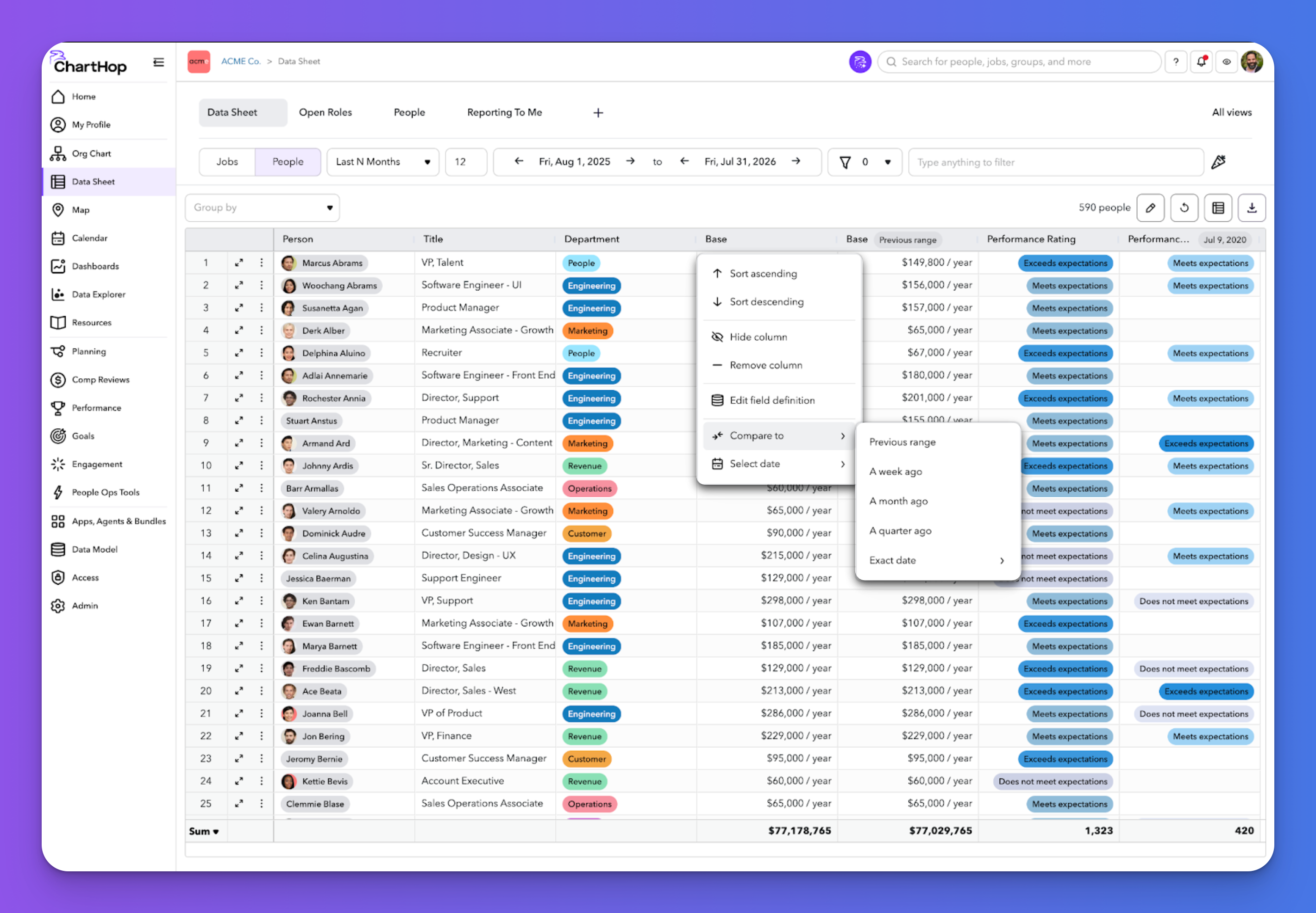
ChartHop Product Updates: September 2026
See the latest ChartHop updates for September 2026: time-based columns in the Data Sheet, automated time off milestone awards, fully translated goals, and a smarter scenario org chart.
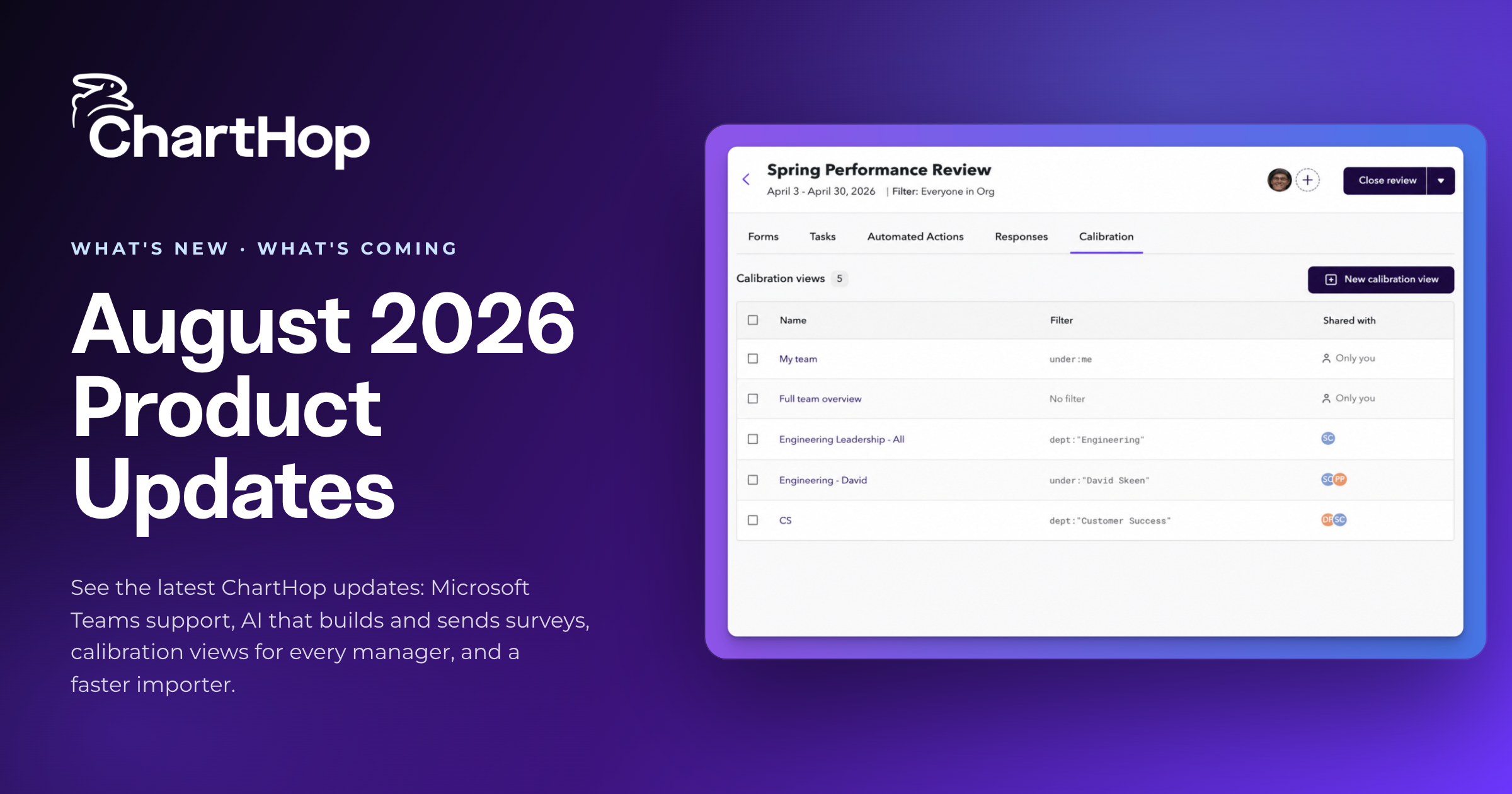
ChartHop Product Updates: August 2026
See the latest ChartHop updates for August 2026: Microsoft Teams support, AI that builds and sends surveys, calibration views for every manager, and a faster importer.

How to Deploy AI Agents in HR and People Operations: A Practical Playbook
A practical playbook for putting AI agents to work in HR and people operations, from choosing the first workflow to setting guardrails and measuring results.

HRIS vs. HCM: Key Differences and How to Choose (2026)
See how an HRIS and HCM differ, the core modules to expect, and 5 criteria mid-market teams should weigh before buying. Compare the top platforms for 2026.
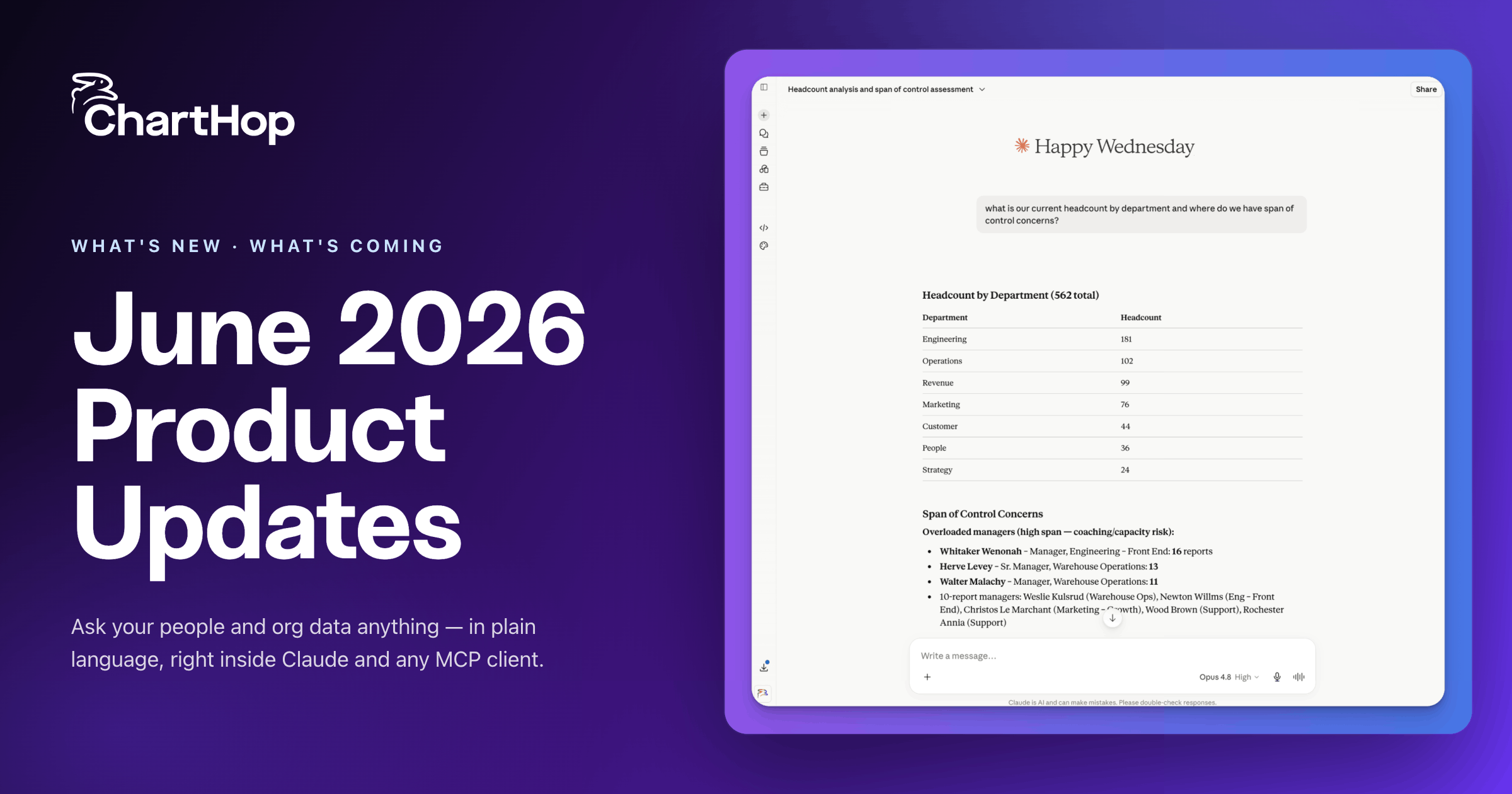
ChartHop Product Updates: June 2026
See the latest ChartHop updates: AI Pro agents, a Finance view for headcount planning, a built-in Nine Box, deeper ADP sync, and more.
Download the ChartHop App


See ChartHop in action


Platform
Solutions
Resources
