
AI-powered HR tech is evolving fast, but is it keeping up with the real needs of HR leaders when it comes to managing people data, compliance, and decision-making?
This guide is designed to help you cut through the hype and evaluate AI HR tech vendors with confidence. We break down 15 critical questions across six essential categories to help you assess how AI is built, governed, and applied in real HR scenarios. Each question explains why it matters, what green flags to look for in responsible, enterprise-ready AI, and the red flags that should give you pause.
Whether you’re evaluating your first AI-powered HR platform or considering how to responsibly add AI to an existing tech stack, this framework helps you ask smarter questions, spot risk early, and make buying decisions that protect your organization, your people, and your data.
Click here to download the full list as a PDF.
If vendors use your data to train their models, your proprietary compensation philosophy and workforce strategies could inform responses given to competitors. As an HR leader, you should expect your information to remain confidential to your organization, not train algorithms serving the vendor’s entire client base.
Green Flags
Red Flags
Your organization has carefully configured permissions so managers can't see peer compensation and ICs can't access succession plans. If AI doesn't respect these boundaries, it becomes a backdoor circumventing your access controls. Employees could use clever prompting to extract unauthorized information, creating legal liability.
Green Flags
Red Flags
Employees might ask AI questions that inadvertently reveal restricted data. A manager asking "Who is at risk of leaving?" could expose confidential performance ratings. Unlike traditional queries, conversational AI makes it easy to accidentally access restricted information through natural language. The system must make it technically impossible to circumvent access controls.
Green Flags
Red Flags
When AI recommends compensation adjustments or identifies flight risks, you need to verify it's not hallucinating. Black box recommendations create compliance nightmares, as you can't defend decisions to lawyers when you can't explain what data informed the recommendation. You need to trace every insight back to specific data points.
Green Flags
Red Flags
All AI systems can produce incorrect information—"hallucination" is inherent to how large language models work. Honest vendors acknowledge this and have mitigation strategies. The question isn't whether AI can hallucinate (it can), but how they minimize it, detect it, and respond when users identify errors.
Green Flags
Red Flags
When defending decisions to your CFO or facing an EEOC investigation, you need complete audit trails tracing AI recommendations to source data. "The algorithm said so" is not a legal defense. You need records of what data the AI accessed, which calculations it performed, and what assumptions it made.
Green Flags
Red Flags
NYC, California, and EU regulations require algorithmic bias audits for AI in employment decisions. 29% of employers have paused AI after discovering bias. You need proof vendors have tested for disparate impact: independent third-party audits, EEOC-aligned methodology, reviewable results, and ongoing monitoring. The Workday lawsuit proves "we didn't know" isn't a defense.
Green Flags
Red Flags
Bias audits aren't one-time events. AI models drift as new data is added or models are fine-tuned. Responsible vendors have systematic ongoing processes: regular audits (at least annually), automated monitoring between audits, clear fairness metrics, and defined remediation protocols when bias is detected.
Green Flags
Red Flags
EEOC guidance makes clear employers remain legally liable for discriminatory outcomes from vendor AI. The Workday lawsuit is worth looking at. You need vendors who will stand behind their technology with meaningful indemnification: clear contractual provisions, insurance backing, and demonstrated seriousness about this risk.
Green Flags
Red Flags
65% of HR leaders cite "lack of trust in AI outputs" as the top adoption barrier, rooted in explainability. When AI rejects candidates or recommends terminations, managers need plain language explanations they can defend to employees, leadership, or lawyers. "The algorithm determined this" isn't accountability.
Green Flags
Red Flags
Training data fundamentally shapes AI behavior, biases, and relevance. Models trained on tech startup data may fail for manufacturing. Data from companies with problematic practices may perpetuate those patterns. Outdated data won't reflect current conditions. You need specifics: industries, time period, quality controls, real vs. synthetic data.
Green Flags
Red Flags
If your data trains a shared model, competitors could extract information about your practices through inference attacks. You need guarantees that your data lives in a private model instance, that vendors have tested defenses against inference attacks, and that safeguards prevent your data from improving the general product.
Green Flags
Red Flags
AI can have hidden costs beyond initial pricing: API fees, compute charges, per-interaction pricing, or tiered pricing. An affordable pilot can become budget-breaking at scale. You need transparent cost breakdowns, examples of what typical customers pay, and cost scenarios at different scales to model growth impact.
Green Flags
Red Flags
AI implementations take longer than vendors promise. Understanding realistic timelines helps you plan and identify honest vendors. Mature vendors provide specific examples of common delays. You should hear honest timeline ranges, customer references, clear blockers with mitigation strategies, and realistic resource requirements.
Green Flags
Red Flags
There's a big difference between beta AI features versus production-ready systems. Understanding maturity helps you assess risk and set expectations. Mature vendors can articulate how long AI has been in production, how many customers use it, known limitations, and roadmap for improvements.
Green Flags
Red Flags
The AI hype cycle in HR tech is real, but the technology gaps are bigger than most vendors admit. You can't afford to buy based on demos and promises when you're responsible for protecting employee data, ensuring compliance, and making defensible people decisions.
Use these 15 questions to separate vendors building responsible, enterprise-ready AI from those rushing products to market. Press for specifics. Ask for documentation. Request customer references who can speak to real implementation experiences, not case studies written by marketing teams.
If a vendor gets defensive, can't provide concrete answers, or tries to move past technical details, that tells you everything you need to know about their AI maturity.
Want to see how ChartHop answers these questions? We built our AI features with the same scrutiny we expect you to apply to any vendor. Schedule a demo to walk through our approach to data privacy, bias testing, explainability, and the technical safeguards we've built into our platform. Or download the full question list as a PDF to use in your next vendor evaluation.

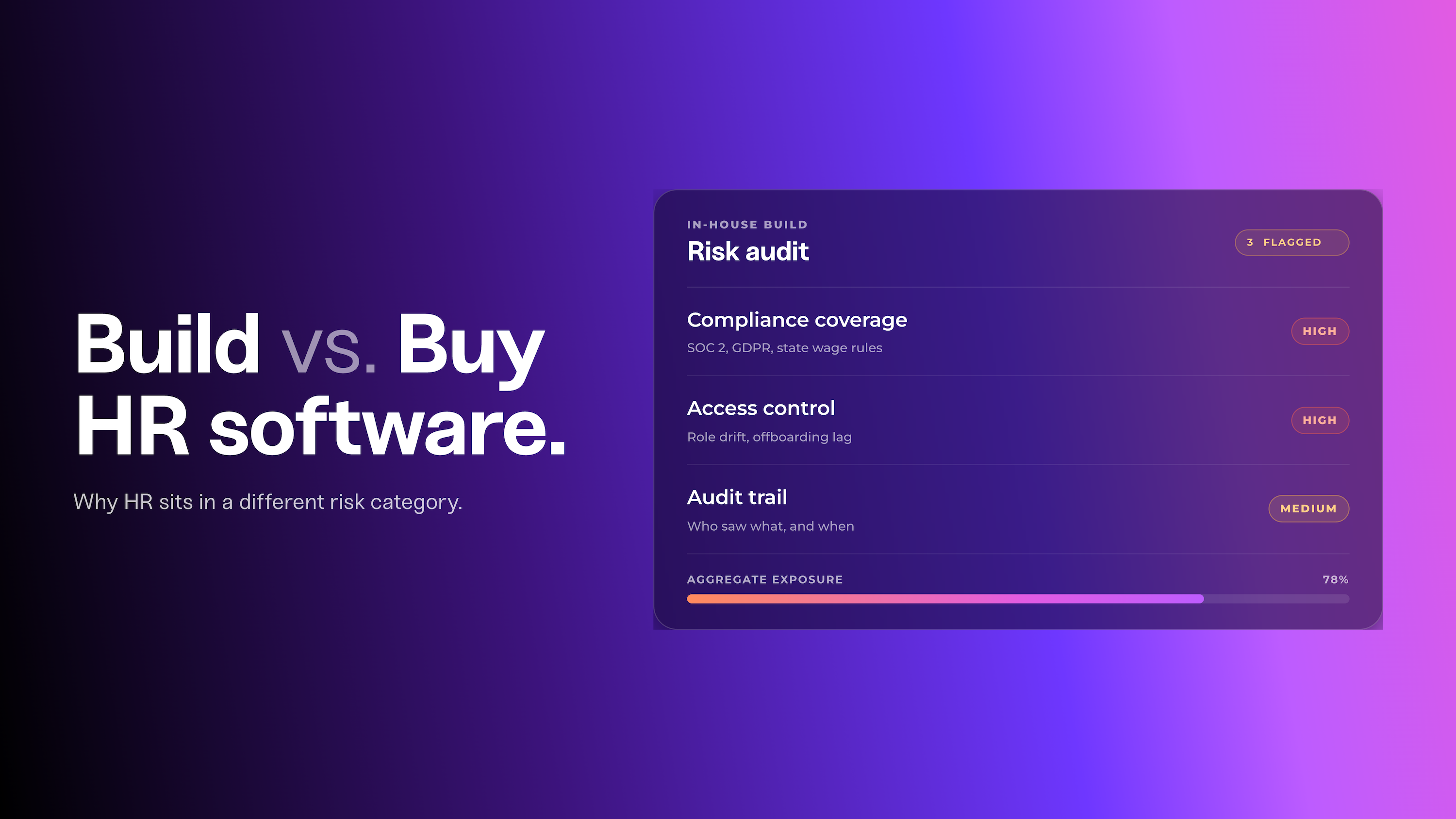

Building internal HR tools seems cost effective until you account for compliance risk, access control failures, and audit trail gaps. Here's a framework for making the right call.
People Ops Executive Kelsey Browning shares her experience building from zero in a spreadsheet-run company, why software choices signal cultural values, and what genuinely good AI looks like in practice.

OutSail sat down with ChartHop CEO Ian White on AI, workforce intelligence, and why the bar for HR software is going up. Watch the clips and read the breakdown.